Nowadays, many processes in modern business applications can be accelerated and simplified through automation and artificial intelligence. The new spring version again offers several user interface optimizations that increase productivity when working with Business Central.
For more efficient and productive work, Business Central has been equipped with improvements to keyboard access, file upload and error messages, among other things, with the latest version.
Efficient keyboard access to actions and the navigation menu
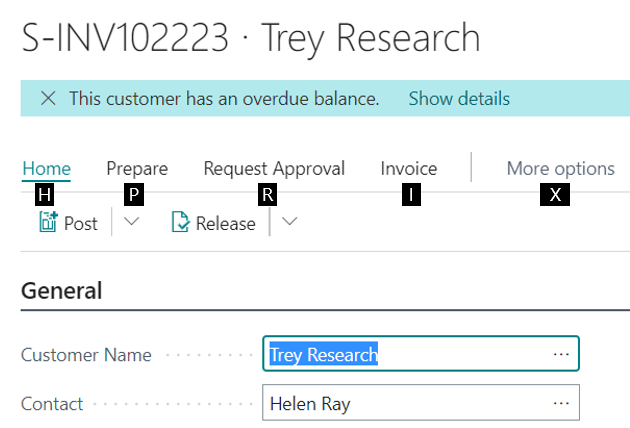
Often, there is little time left in the daily business routine for simple processes such as entering data. So every keystroke and mouse click saved can already be helpful. To make the use of the keyboard even more efficient, the latest Business Central version has made some improvements and adopted a familiar feature from other Microsoft 365 applications such as Excel or Word. This means that actions in the action bar, the navigation menus and other elements of the user interface can be quickly and easily accessed and activated via new access keys and key tips. The functionality is currently only available in the English language version – other languages should follow shortly.
Finally, pressing the ALT key in the Business Central web client provides the following new options:
– Key tips are displayed next to the elements of the user interface, which indicate the next keystroke.
– Different sequences of keystrokes can be used to navigate through the user interface and move to desired elements without leaving the currently focused element.
– The actions become accessible even without a special assigned shortcut key.
– When using Business Central in English, access keys for actions are available in the action bar as well as links in the navigation menu.
Optimized file upload via drag & drop
Many business processes also involve the capture of documents or other relevant files. If the relevant file is already available, it can now be uploaded even more easily via the improved file upload dialog in Business Central. After all, convenient drag & drop functionalities are now indispensable for efficient work.
This enhancement not only increases productivity and convenience, it also provides an ideal foundation for more comprehensive file upload capabilities in future versions of Business Central. But users will still be able to choose between the drag & drop option and the traditional file selection.

Improved error messages with options for resolution
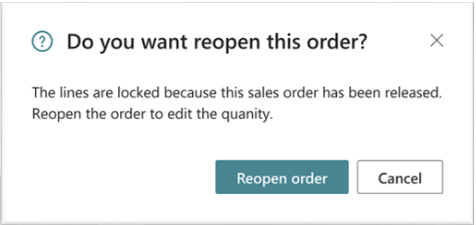
Error messages can disrupt the workflow while using Business Central. Often, for example, a task simply requires a setting on another page. The solution is therefore simple, but not immediately obvious.
In order to solve such problems faster, this year’s April release offers a gradual improvement of the error messages, which now provide options to fix the cause of the error. For this purpose, corresponding actions have been added to the error messages. The new and more user-friendly design of error messages helps to fix frequently occurring issues more easily and thus offers enormous time savings.
The following messages for typical issues have been updated for this purpose:
– To make complications and their cause easier to understand, the information and guidance that error messages provide has been improved.
– Advanced troubleshooting information has been replaced with the “Copy details”” link to make error dialogs less alarming while maintaining the required level of detail.
– New actions make it easier to navigate directly to the problem and fix it on your own.